In a world, it is important to use AI directly in your workflow for a better job quickly. Triplo AI is a cross-device AI assistant that offers to help you perform more tasks without needing more tools. In this review, I will explain why it is worth it for an excellent job.
What is Triplo AI?
Triplo AI is a real time agent assistant that uses AI to improve content creation, automate workflows, and simplify tasks. It is available on different platforms like Windows, Mac, IOS, and Android, and can connect with any program. It connects easily to any program or browser. Users can create content like emails, blog posts, code snippets, translations, and more within their workflows. Triplo AI optimizes its responses to suit individual user needs.
Triplo AI is excellent at automating tasks and can be connected with third-party tools like Zapier and Pabbly to produce sophisticated workflows for creating content. It is a versatile tool for professionals, students, and company owners equally because it has multilingual features and can translate more than 200 languages. Triplo AI functions as a comprehensive assistant with its smart prompts, knowledge base management, and cross-device capabilities.
Best for
Researchers
Content Writers
Business Professionals
Marketing Professionals
Customer support agents
HR professionals
Executives and Managers
Educators and teachers
Legal professionals
Sales representations
Key Features of Triplo AI
Triplo AI is a versatile AI assistant that offers instant support for productivity, automation, and content creation tasks on desktop and mobile devices. Some key features are as follows:
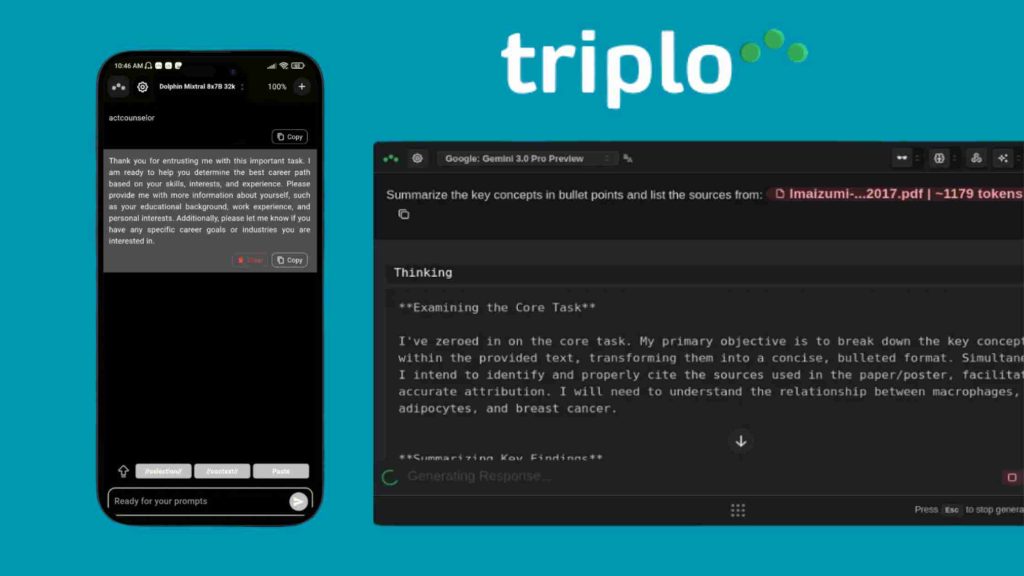
- Real-time Assistance: uses text triggers or hotkeys to enable quick responses, insights, and content creation from anywhere.
- SmartPrompts & Custom Prompts: Prompts for tasks like emails, code, articles, and social media postings can be pre-built or created by the user; this includes crawling from URLs.
- Translations: effectively handles more than 200 languages, including dialects, with context attentiveness.
- Automation & Training: presents content with platforms, collects data automatically, and uses customized knowledge bases to develop AI.
How does it work?
Triplo AI allows you to activate AI features without switching between different tools by functioning as an AI assistant that runs within your operating system and tools. Whether you type a question, highlight text, or use a shortcut, Triplo transmits your input to powerful AI models like GPT-4 and others. You may get instant help with content creation, text summarization, translation across more than 200 languages, question answering, and other AI-driven tasks while you’re at work.
In order to customize responses to your processes or business knowledge, Triplo AI allows SmartPrompts, the creation of custom prompts, and user-trained knowledge bases. It may automate repetitive tasks, collect data from URLs or documents, and simplify complicated procedures by integrating with various tools through webhooks, APIs, Zapier, or Pabbly Connect. You may use keyboard shortcuts in any application to activate AI capabilities, integrate context straight into prompts, and apply automation rules to complete routine tasks with minimal manual input.
How does Triplo AI integrate with other tools and software?
Triplo AI uses webhooks, APIs, desktop “Triplo Bar” hotkey activation, and no-coding tools like Zapier and Pabbly to easily connect with devices and apps without requiring traditional plugins.
1. Core Integration Method
The Triplo bar allows AI assistance directly in any desktop or mobile app, like browsers, email clients, or CRMs, through hotkeys or text triggers. It allows instant content creation, editing, or data extraction without switching tools. It works on any operating system, like Windows, Mac, Linux, Android, iOS, and Chromebook, and supports different models such as GPT, Llama, and Mistral.
2. Automation Platforms
Send AI-generated emails, social media posts, or code to CRMs, ERPs, Google Sheets, n8n, or Boost. space through integration with Zapier, Pabbly Connect, or webhooks. Users collect data from third-party APIs, process it with AI prompts (300+ pre-built or custom), and send the outputs back via webhooks. Automation depends on OpenAI services (desktop-only). OpenRouter models are not used for automation.
Alternatives
ChatGPT: Outstanding AI chatbot for natural language tasks, conversations, and content creation, succeeding in broad accessibility.
ClickUp: AI-powered all-in-one work management tool that replaces many tools for tasks, documents, and automation.
Notion: Highly organized, versatile working environment for information systems, notes, and AI-powered writing tools.
Merlin AI: AI for short tasks based on browser extensions, but less compatible with platforms than Triplo.
Pricing
Triplo AI offers a lifetime deal via Appsumo, starting at $69 for License Tier 1 for 1 device, 2M AI tokens, 50 custom SmartPrompts. Moreover, License Tier 2 offers 3 devices, 6M AI tokens, and 150 custom SmartPrompts. There are also License Tier 3 for $339, License Tier 4 for $589, and License Tier 5 for $729.
Every plan includes a 60-day money-back guarantee, free updates, and previous Appsumo customers can upgrade their license to increase feature limits.
Final Verdict
Triplo AI offers outstanding value as a cross-device AI assistant with its outstanding features, such as local models and automations. Professionals, agencies, and freelancers benefit from remarkable productivity without extra costs.
Please visit my website affihouse for more about Appsumo deals, WP themes, and WP plugins.