In the present dynamic digital world, file management is one of the most essential components of both personal and professional data. An advanced file manager can improve the way you organize, transfer, and access your files, whether you’re a business managing enormous amounts of data or an individual handling numerous files.
This article will focus on how to organize your files using advanced file management strategies like automated file transfer and root file explorer features.
Get Advanced File Management as a lifetime deal.
Best for
- Developers
- Web design agencies
- Web designers
The Importance of Advanced File Management
Nowadays, managing files manually is a very critical job, as digital content is increasing. It is important to keep all photos, videos, documents, and software for an efficient system. An advanced file manager offers you to take control of your digital products with its powerful tools and features for organizing your files more efficiently, faster, and user-friendly.
Advanced file management can save time and effort by automating tasks such as file categorization, labeling, and even the transfer of files between devices. It can make your digital workflow much more efficient by leveraging its capabilities.
Get Advanced File Management as a lifetime deal.
Features of an Advanced File Manager
An advanced file manager offers more than just browsing and managing files. Usually, it has a number of features that improve file management and provide you with greater control over your digital content:
1. User-friendly interface:
Advanced file managers offer a user-friendly interface that helps users navigate their files with minimal effort. This feature is important for organizing a large number of files.
2. Multi-Tab Support:
The multi-tab feature is useful for opening multiple folders at once, making it easier to compare, transfer, and organize files between different locations.
3. File Compression and Extraction:
Advanced file managers help to compress or extract files with built-in tools for saving space on your devices and organizing your files efficiently.
4. Search Capabilities:
Its powerful search feature makes it easy to locate files by their name, type, date, or even contents for saving time when dealing with large datasets.
5. Security Features:
Security features include encryption options for protecting sensitive files, providing an extra layer of security for your data.
6. Customization:
Your file management interface can be further improved by customizing the file manager’s layout and appearance to what you prefer.
Get Advanced File Management as a lifetime deal.
How Automated File Transfer Revolutionizes File Management
File transfer is an important element of file management useful for business. Transferring files from one location to another can be time-consuming in traditional file management systems.
Users can move files between devices or across networks automatically by using Automated file transfer. A smooth, automatic file transfer process can be achieved by setting certain rules. There are several reasons why automated file transfer is revolutionary in file management:
1. Efficiency:
Automated file transfer speeds up the process by eliminating the need for manual intervention. Files can be transferred in the background while you focus on other tasks, improving your productivity.
2. Consistency:
Automation ensures that files are consistently transferred according to predefined rules. This reduces the risk of human error, ensuring that important files are not missed or misplaced.
3. Time Savings:
Automated file transfer can be scheduled to occur at specific times, such as overnight or during off-peak hours, minimizing disruptions to your daily tasks.
4. Scalability:
You need to manage a lot of files for developing your business or increasing your file collection. Automated file transfer software helps you to scale your business, which can manage and preserve a huge volume of data.
5. Improved Collaboration:
The system of automated file transfer can distribute data among various team members or departments within a short time in order to ensure smooth cooperation.
Get Advanced File Management as a lifetime deal.
The Role of Automated File Transfer Software
You need specific software that can manage the task in order to set up automated file transfer. Automated file transfer software uses some tools to automate the process, like identifying source and destination folders, scheduling transfers, and ensuring safe file transfers.
There are several benefits of using automated file transfer software:
1. Centralized Control:
You can control your file transfer process with automated file transfer software from a centralized location. Which makes it easy to manage and monitor your transfers.
2. Secure File Transfers:
Many file transfer applications include built-in security features like encryption, which ensures that private data is transported safely and securely without the possibility of detection.
3. Error Reduction:
The possibility of errors can be reduced by automating the file transfer process, whereas mistakes can happen during manual transfers.
4. Log Management:
Automated file transfer software generally includes logging capabilities for tracking file transfers, monitoring progress, and solving problems.
Pricing
Advanced file management is available on Appsumo as a lifetime deal with a 60-day money-back guarantee. There are four pricing tiers available on Appsumo with one-time price tiers: roughly $49 for the basic Tier 1, $109 for Tier 2, $239 for Tier 3, and $409 for the top Tier 4. It offers more features like cloud integrations, AI tools, and database access, which are included in higher tiers with more site licenses.
Get Advanced File Management as a lifetime deal.
Why You Should Choose Advanced File Manager
There are several reasons why you should consider an advanced file manager for your business.
1. Easy File Management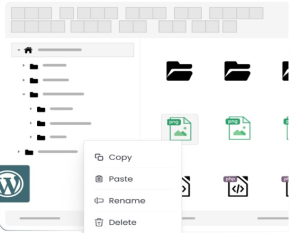
You can easily manage all of your files from your WordPress dashboard website. Moreover, you can organize your files effectively and use an outstanding interface with both grid and list views.
2. No FTP or cPanel Required
You have not relied on FTP or hosting control panels for managing your files.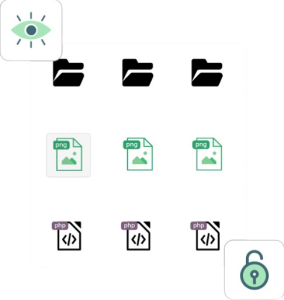
3. Security & Access Control
You have more access control on your dashboard to restrict files based on user roles and permissions. You also keep sensitive files hidden from unauthorized users and set private folders for special user access.
4. Customizable User Experience
You can find multiple themes for styling your website and enabling multilingual support for global accessibility.
Conclusion
Effective file management is important for maintaining productivity and organization in both personal and professional contexts. You can take control of your file system and optimize your workflow by using an advanced file manager with powerful features like root file explorer capabilities and automated file transfers. Automated file transfer software is more useful by allowing you to transfer, back up, and share files without manual intervention.
Whether you are looking to streamline company operations or simplify your personal file organization, advanced file management is helpful for you.
Explore my website affihouse for more about Appsumo lifetime deal, WP plugins, and WP themes.